.png?width=300&height=300&name=Untitled%20design%20(6).png)
Dashboard Overview
The Dashboard provides a comprehensive snapshot of your merchant account’s performance. It displays key data points that help merchants monitor transaction activity and business trends at a glance.
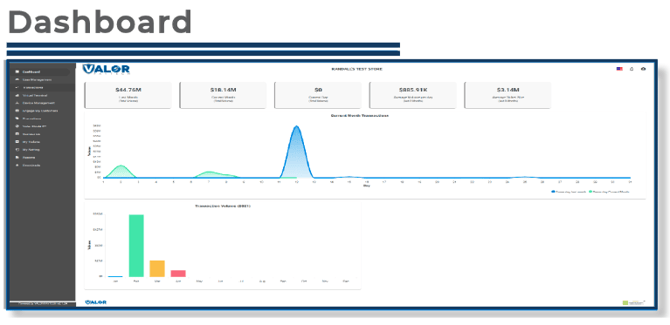
Metrics Displayed:
-
Last Month’s Volume: Total transaction volume processed during the previous month.
-
Current Month’s Volume: Total transaction volume processed so far this month.
-
Current Day’s Volume: Total transactions processed for the current day.
-
Average Daily Volume: The average transaction volume per day, calculated based on the past three months.
-
Average Ticket Size: The average amount per transaction, offering insight into customer spending patterns.
Charts Displayed:
-
Daily Transaction Comparison Chart:
This chart compares your current month's and previous month’s transaction volumes on a day-by-day basis, allowing you to track trends and identify growth or fluctuations. -
Monthly Transaction Volume Chart:
This chart summarizes your total transaction volume by month, providing a clear view of overall business performance and seasonal trends.
Transactions Overview
The Transactions module allows you to view and manage all transactions performed under your merchant account.
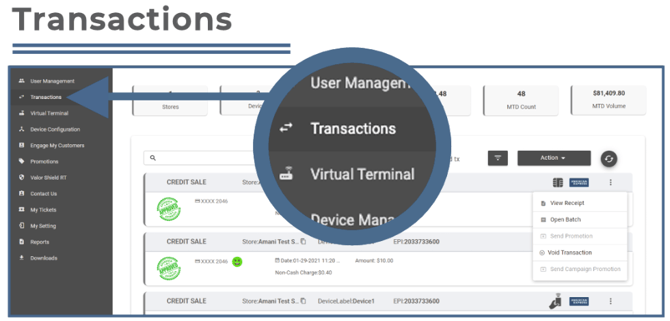
Functions include:
-
Voiding transactions and adjusting tips
Virtual Terminal Overview
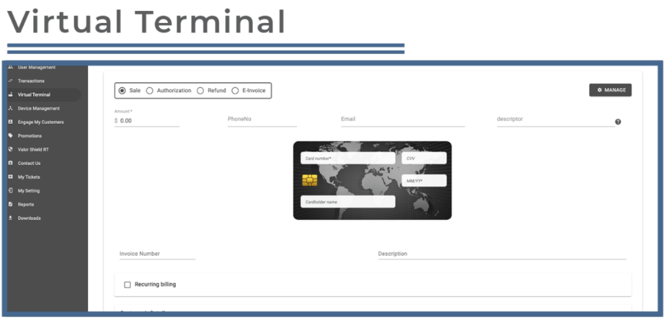
The Virtual Terminal enables you to perform key transaction functions directly from the portal.
Functions include:
-
Processing sales and authorizations
-
Setting up Recurring Billing
Note: If a merchant does not see Virtual Terminal in their sidebar menu, merchants should contact your ISO for more information.
Device Management Overview
The Device Management section allows merchants to view and manage all devices associated with their account.
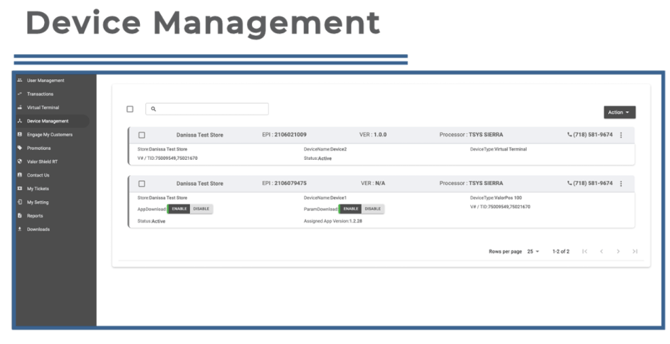
Merchants can:
-
View device vitals such as connectivity method and strength, battery percentage, and app version
Engage My Customer Overview
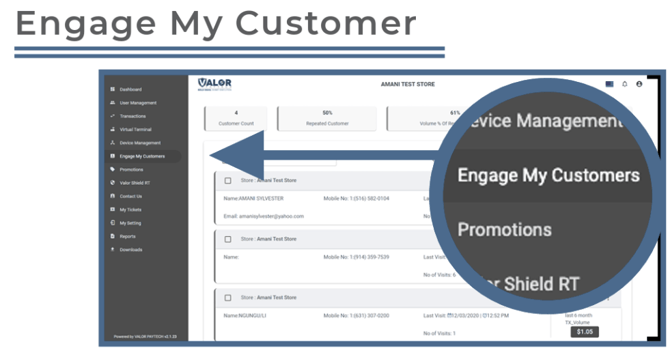
The Engage My Customer module tracks all customer-related data and transaction history, grouping information by customer. By collecting contact details (e.g., phone numbers), merchants can send promotional messages directly to targeted customer segments such as:
-
Loyal Customers
-
Lost Customers
-
High Spenders
Promotions Overview
The Promotions module allows merchants to create and manage custom promotional messages delivered to customers via printed or SMS receipts.
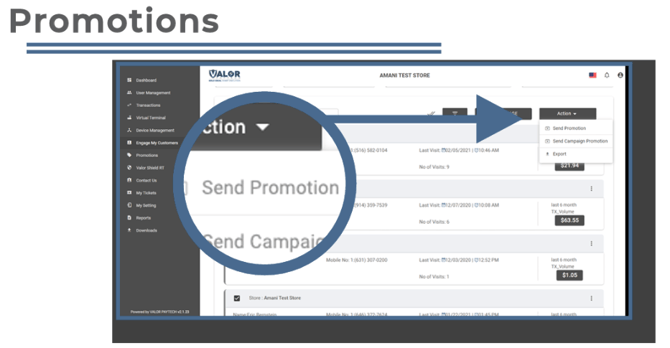
Features include:
-
Designing MMS or SMS templates and campaigns
-
Integrating promotions with the Engage My Customer module
Note: Merchants must be enrolled in Engage My Customer to access the Promotions module.
Valor Shield RT Overview
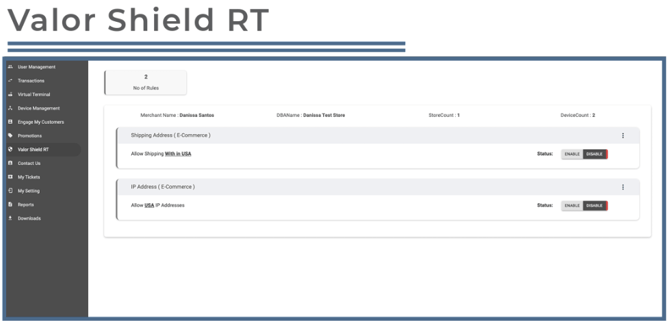
For E-Commerce merchants, Valor Shield RT allows merchants to enable or disable the acceptance of online orders based on shipping address and/or IP address location.
Contact Us Overview
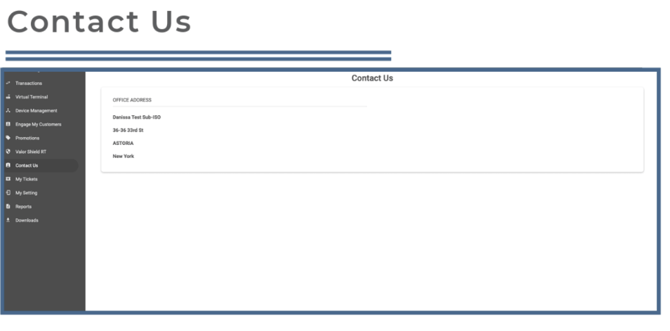
The Contact Us section displays the merchants ISO’s contact information. This same information is also accessible on the merchant's payment terminal by pressing the Call Me icon.
My Tickets Overview
The My Tickets module lets merchants create, edit, and track support tickets associated with their account.
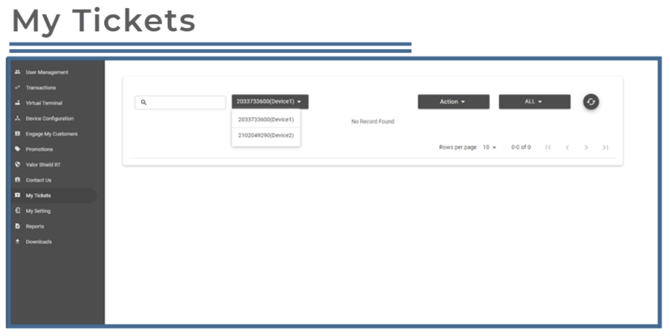
You can:
-
Describe the issue and its category
-
Add additional details and a callback number
-
View the status of existing tickets
My Settings Overview
Within My Settings, merchants can configure how transaction receipts and reports are delivered.
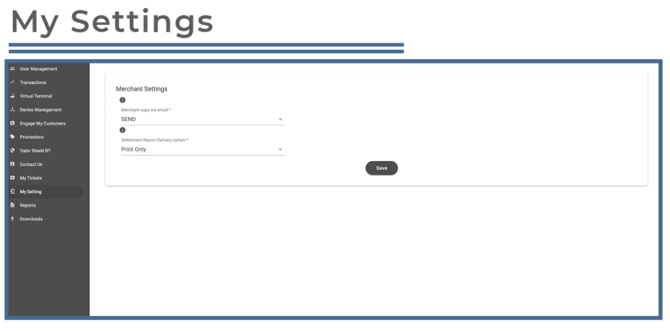
Options include:
-
Emailing receipts to the address on file
-
Receiving settlement reports via email, print, or both
Reports Overview
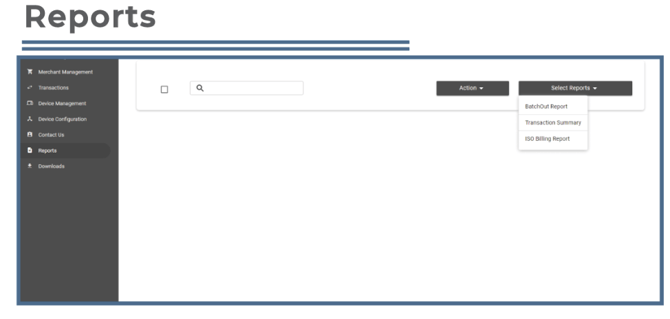
The Reports module provides access to merchant transaction summaries and batch reports. Reports can be viewed or exported in Excel format for record-keeping or analysis.
Downloads Overview
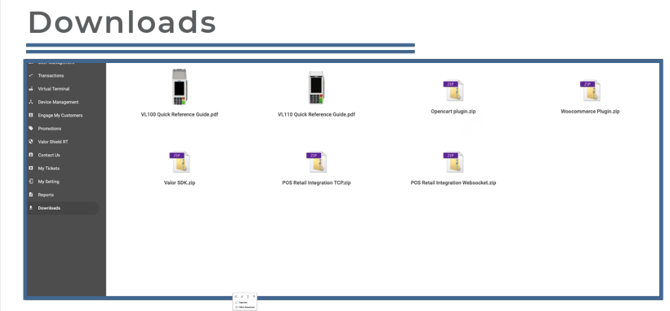
The Downloads section allows merchants to access and download key resources such as user guides, plugins, and the Valor SDK.