.png?width=300&height=300&name=Untitled%20design%20(6).png)
PAX A920 Retail QRG (Envoy)
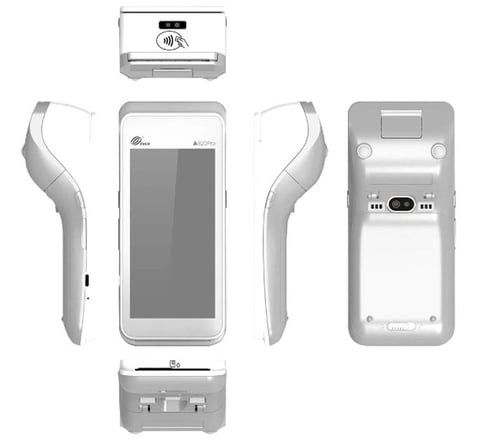
BASIC CREDIT SALE
- From the idle screen select the transaction type [SALE].
- Enter the sale amount and select [CONFIRM].
- Insert, swipe, or enter the card number.
- Have the cardholder sign on screen, then select:
- [CONFIRM] to accept, or
- [CLEAR] to clear and retry the signature.
- Select the [PRINT] button to print the receipts.
- The terminal will display the transaction status.
BASIC CREDIT REFUND
- From the idle screen select the transaction type [REFUND].
- Choose how to apply the refund:
- [BY CARDNUM] to use the original card number, or
- [REFNO] to use the original transaction reference number.
- Swipe or enter the card number (as applicable).
- Have the cardholder sign on screen, then select [CONFIRM] to accept or [CLEAR] to retry.
- Select the [PRINT] button to print the receipts.
- The terminal will display the transaction status.
VOID SALE
- From the idle screen select the transaction type [VOID SALE].
- Swipe or enter the card number.
- Input the original transaction number and select [CONFIRM].
- If the displayed transaction is the one to be voided, select [CONFIRM].
- Have the cardholder sign on screen, then select [CONFIRM] to accept or [CLEAR] to retry.
- Select the [PRINT] button to print the receipts.
- The terminal will display the transaction status.
FORCED SALE
- From the idle screen select the transaction type [FORCED].
- Enter the sale amount and select [CONFIRM].
- Swipe or enter the card number.
- Enter the Auth Code of the transaction and select [CONFIRM].
- Have the cardholder sign on screen, then select [CONFIRM] to accept or [CLEAR] to retry.
- Select the [PRINT] button to print the receipts.
- The terminal will display the transaction status.
CLOSE BATCH
- From the idle screen select [FUNC].
- Select [BATCH].
- When prompted "Close Batch?" select [OK] to close or [Cancel] to stop.
- If prompted "Close W/Untipped?" select [OK] to zero out untipped transactions and close, or [Cancel] to stop.
- The terminal will display the batch close status.
REPRINT LAST
- From the idle screen select [FUNC].
- Select [PRINT].
- Select [PRINT LAST] to reprint the most recent transaction.
Additional Resources
Note: Looking to better understand the PAX A920 and its capabilities? All Quick Reference Guide resources mentioned here are available for download, perfect for sharing with your team or reviewing offline to see how the PAX A920 can streamline your payment processing experience.