.png?width=300&height=300&name=Untitled%20design%20(6).png)
Overview
A pre-authorization (pre-auth) is a temporary hold placed on a customer’s card to verify funds availability before finalizing a transaction. This is commonly used in industries such as hospitality, fuel, and rentals, where the final transaction amount may change before settlement.
Performing a pre-auth on a Valor device ensures secure card verification and compliance with payment processor requirements.
Steps to Perform a preauthorization in a valor terminal.
|
Tap the touch screen to change the transaction type. Tap until you get Pre auth. Enter in the dollar amount, then press OK on the keypad. |
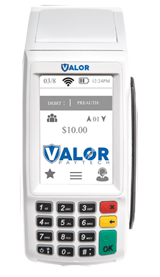 |
| Next, have the customer present the card by either inserting the EMV chip, swipe, or Tap-Pay. | 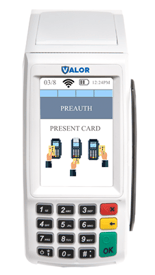 |
| Once the card has been accepted, the next screen will be confirmation of the dollar amount. | 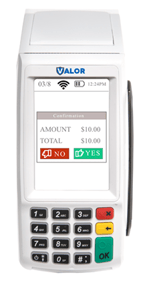 |
| Once the Pre auth has been approved or declined, you will be able to print the receipt from this. | 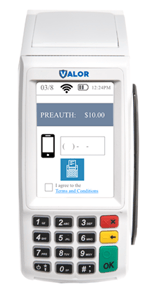 |
Additional Resources