.png?width=300&height=300&name=Untitled%20design%20(6).png)
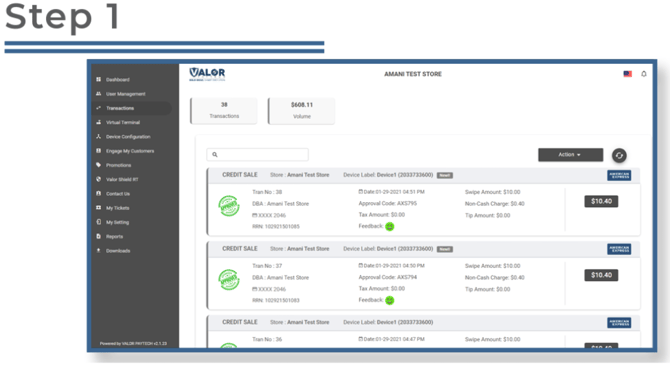
Step 1: From the sidebar menu, select Transactions.
Step 2: Locate any transaction near the top of the list and click the ellipsis (⋮) on its snapshot.
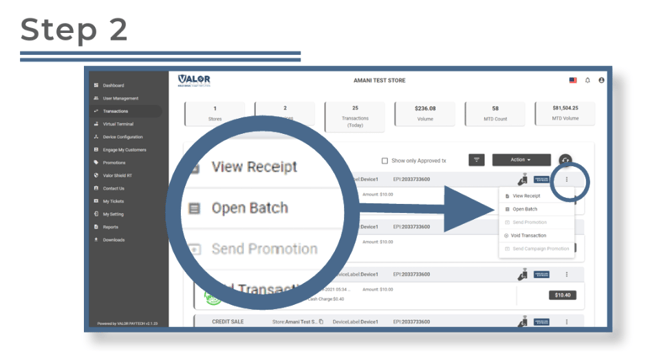
- From the dropdown menu, select Open Batch.
- This will take you to the Tip Adjust and Batch section.
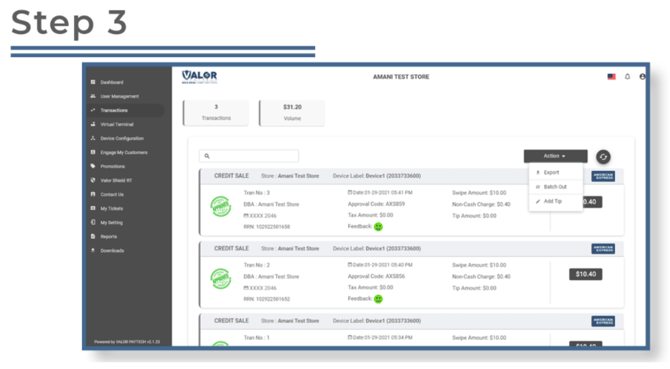
Step 3: In the top-right corner, click Action, then choose Batch Out from the dropdown.
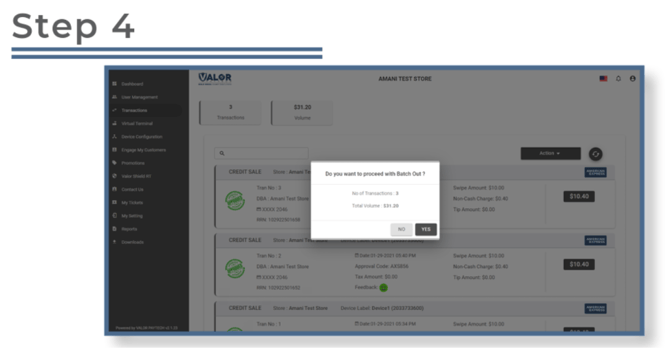
Step 4: A confirmation message will appear asking if you want to batch out.
-
- Click Yes to close the batch and finalize all transactions.
Additional Resources