.png?width=300&height=300&name=Untitled%20design%20(6).png)
This article explains how to create, schedule, and manage recurring payments in the Valor Virtual Terminal. Recurring payments support two types:
-
Subscription — repeat a fixed amount for a set period or indefinitely.
-
Installment — split a total amount into a specified number of payments.
Before you begin
- Merchant portal access with a Virtual Terminal permission is required. Sign in at www.online.valorpaytech.com.
- Have the customer’s card, billing, and shipping details ready.
Note: card data entered in the Virtual Terminal is tokenized for future transactions.
Step-by-step: Create a recurring payment
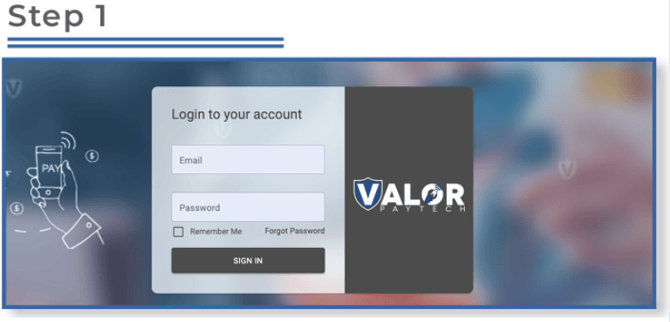
Log in & open Virtual Terminal
Go to www.online.valorpaytech.com. Sign in.
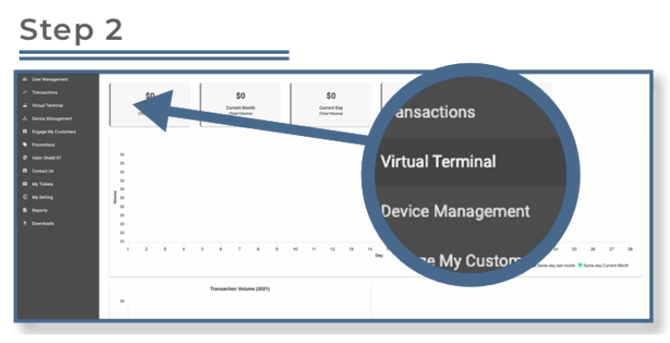
Select Virtual Terminal from the sidebar.
Enter transaction details
Enter the transaction amount, phone number or email (optional), and the customer’s credit card information. Add an invoice number or description if needed.
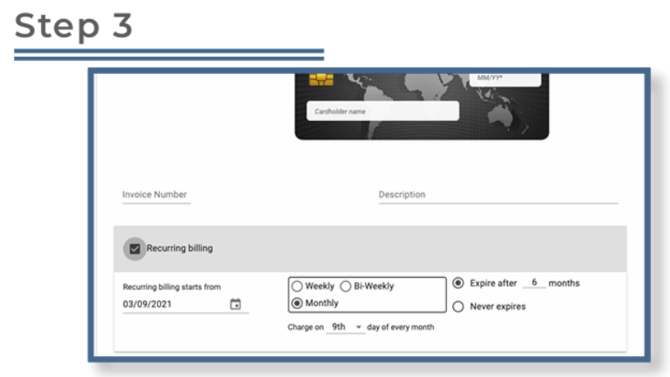
- On the transaction screen check the Recurring billing checkbox (bottom-left). This reveals recurring configuration settings.
- Select Subscription or Installment
-
-
Subscription: fixed amount billed repeatedly; can run for a set term or indefinitely.
-
Installment: a portion of a total amount billed across a set number of payments.
-
-
Enter billing & shipping addresses
-
Scroll down and provide billing and shipping addresses. Select the checkbox to copy billing to shipping if they are the same.
-
-
Validate & Save
-
Review all entries and click Validate & Save to create the recurring bill.
Manage existing recurring bills
Go to the Transactions module → Recurring Billing (or view the recurring bills listing). Use the vertical ellipsis (⋮) beside a recurring bill to edit or manage it.
Troubleshooting
-
Recurring options not visible: Confirm the merchant has access to the Virtual Terminal and are using a user account with transaction permissions.
-
Invalid schedule or date errors: Verify the selected date and frequency; some dates may not apply for certain frequencies (for example, “31” on months without that day).
-
Card declines or validation fails: Confirm the customer’s billing address, card expiry, and that the card is enabled for recurring charges. If the issue persists, ask the customer to contact their card issuer.
Related resources