.png?width=300&height=300&name=Untitled%20design%20(6).png)
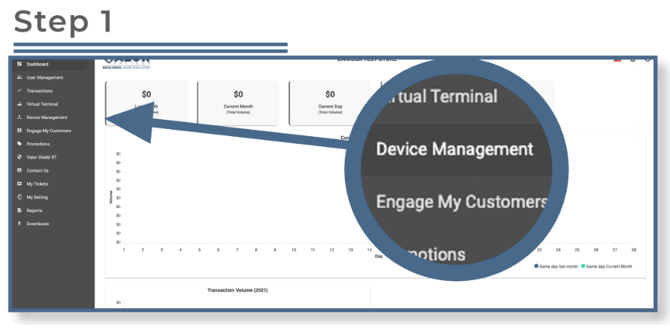
Select Device Management in the sidebar menu.
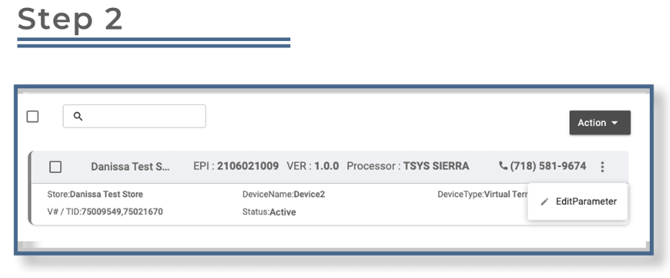
Locate the device you want to update, then click the ellipsis (⋯) on the top right of the device snapshot and select Edit Parameters.
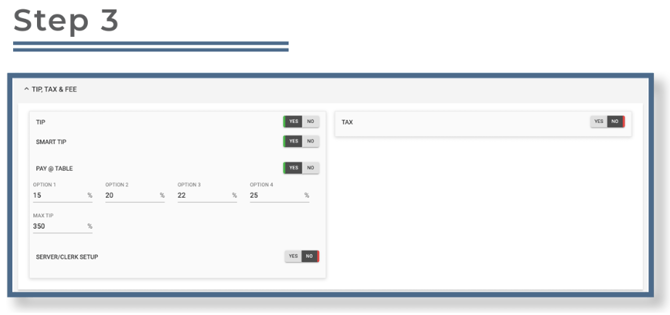
Under Tip, Tax & Fee, you will see a parameter to modify the Max Tip Percentage. Enter the desired tip percentage.
Please note that the max tip percentage is 500%.
Once updated, scroll down and click Save.
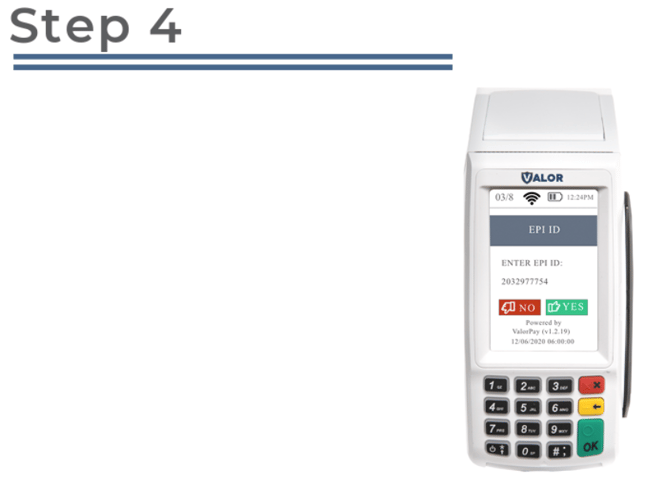
After making parameter changes, perform a download on the device by pressing ★ > 6 > OK to apply the updates.