.png?width=300&height=300&name=Untitled%20design%20(6).png)
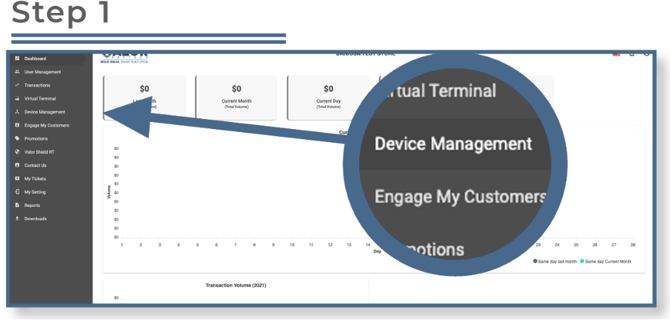 Select Device Management in the sidebar menu.
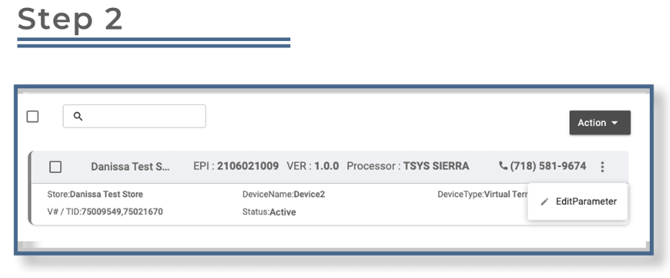
Select the ellipsis (⋮) on the top right of the device snapshot, then click Edit Parameters.
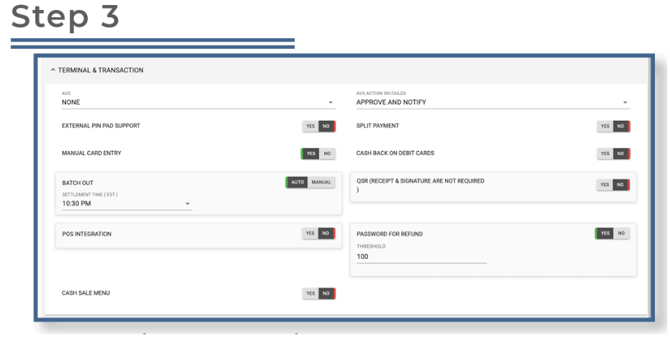
Expand Terminal & Transaction and locate the Password for Refund toggle. Turn it on to enable password protection. Once enabled, set a refund threshold amount. Any refunds exceeding this amount will prompt for a password before proceeding.
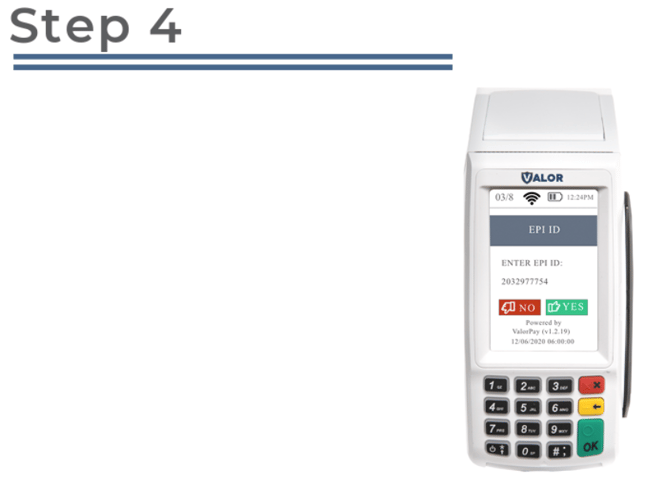
After making parameter changes, perform a download on the device by pressing ★ > 6 > OK.