.png?width=300&height=300&name=Untitled%20design%20(6).png)
To provide clear instructions for connecting and configuring a compatible cash drawer with a Valor POS terminal using the Multi-Comm Hub, ensuring proper setup and functionality during transactions.
To connect a cash drawer to a Valor POS terminal, follow these steps:
Step 1: Check Compatibility
Ensure the cash drawer is compatible with the Valor POS terminal.
Step 2: Gather Required Component
- Cash Drawer
- POS Terminal
- Multi-Comm Hub.
Step 3: Connection Setup
To establish connectivity:
- Connect the cash drawer via RJ11/RJ12 Cable to the Cash Drawer port on the multi-Comm Hub.
- Dock the VP800 Terminal on the Multi-Comm Hub.
- This setup ensures proper integration of the cash drawer with the terminal through the multi-Comm Hub-Comm Hub.
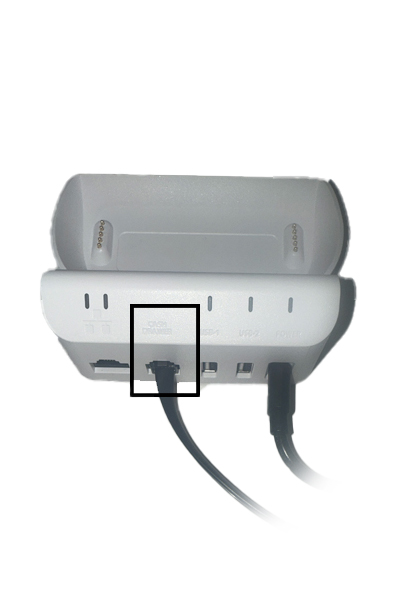
Step 3: Connect the Drawer
Plug the cash drawer cable into the dedicated port on the Valor Terminal; or its connected receipt printer, depending on your setup.
Step 5: Configure Terminal Settings
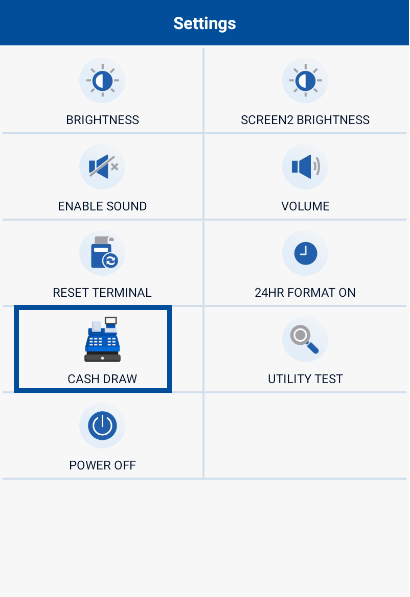
Access the Terminal's Settings -> Utility -> Cash Draw menu.
- Navigate to the cash drawer configuration section.
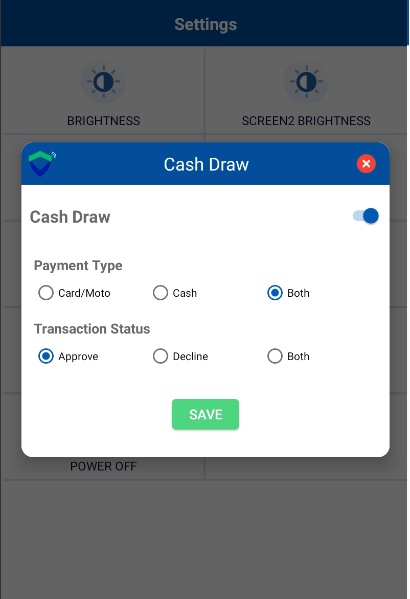
- Enable the cash drawer and set payment type and transaction status.
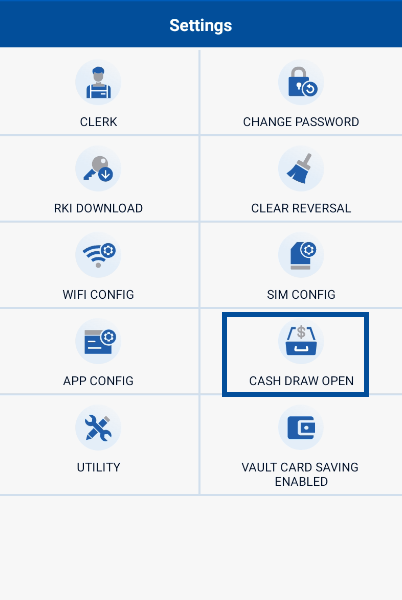
4. In the terminal, the cash drawer can be manually opened by navigating to the settings and selecting the "CASH DRAW OPEN" option. This option allows control over the cash drawer mechanism.