.png?width=300&height=300&name=Untitled%20design%20(6).png)
-
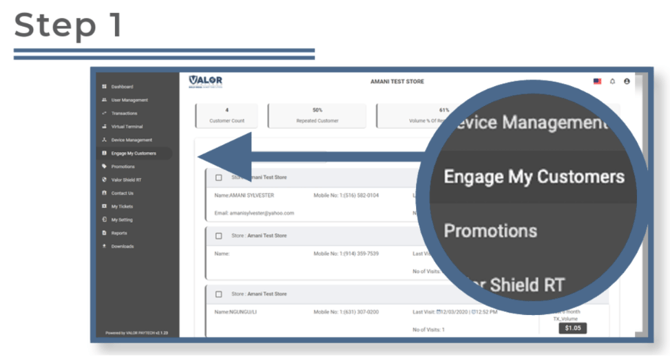
From the sidebar menu, click Engage My Customers.
Filter the Customer List
-
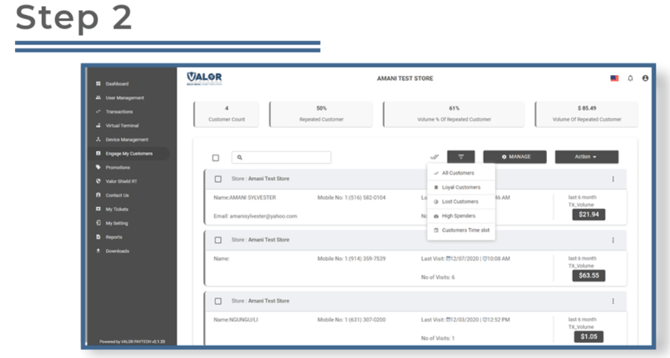
Click the Filter button.
-
Choose a filter type:
-
All
-
Loyal
-
High Spenders
-
Time Slot
-
-
Edit Filter Parameters
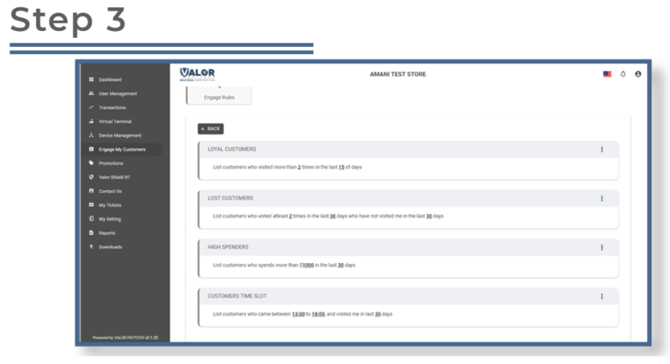
Click Manage to customize filter settings.
-
Click the ellipsis (⋮) at the top right of the snapshot.
-
Select Edit Params to configure each filter option.
-
You’ll also see descriptions of what each filter does.
Select Customers for Engagement
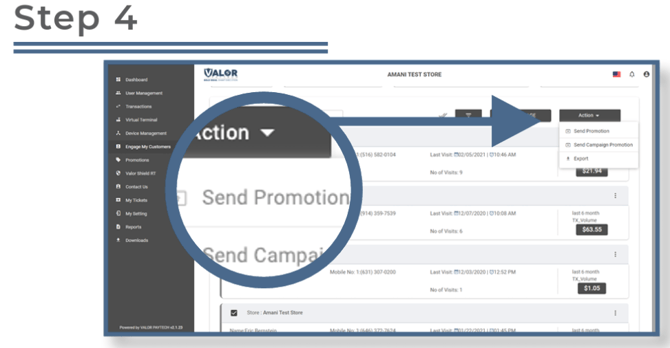
Check the box next to one or more customer snapshots.
-
Click Action, then choose:
-
Send Promotion
-
Send Campaign Promotion
-
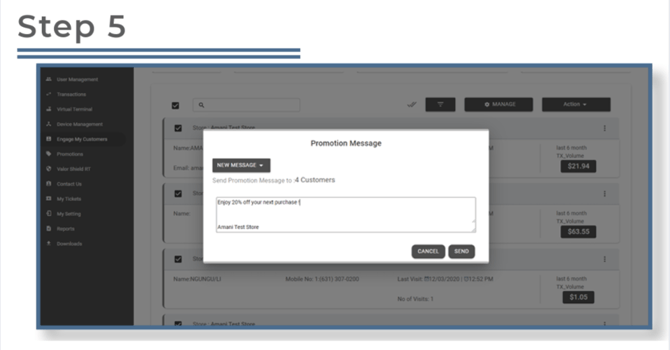
Send a Promotion
-
Choose from a predefined promotion or click NEW MESSAGE to create a custom one.
Send a Campaign Promotion
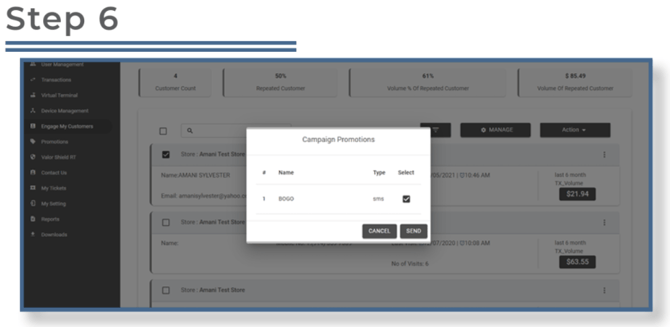
A list of your campaigns will appear.
-
Check the box for the desired campaign, then click Send.