.png?width=300&height=300&name=Untitled%20design%20(6).png)
How to Edit POS Menu Parameters on a Device
-
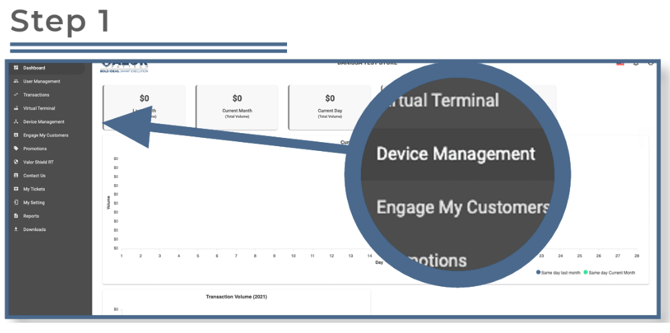
Open Device Management:
-
In the sidebar menu, click Device Management.
-
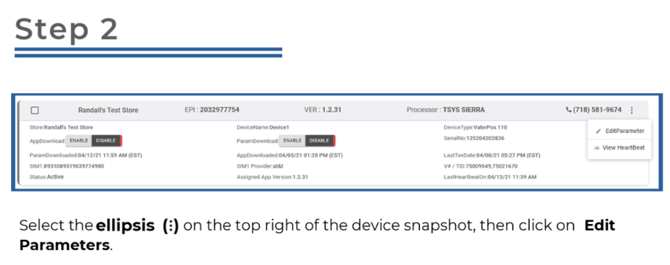
-
Access POS Menu Configuration:
-
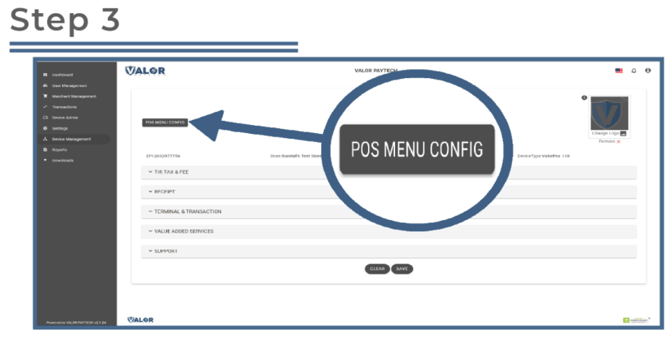
Once the parameter screen loads, click POS MENU CONFIG at the top left.
-
Update Transaction Options:
-
-
View the list of available transaction types and options.
-
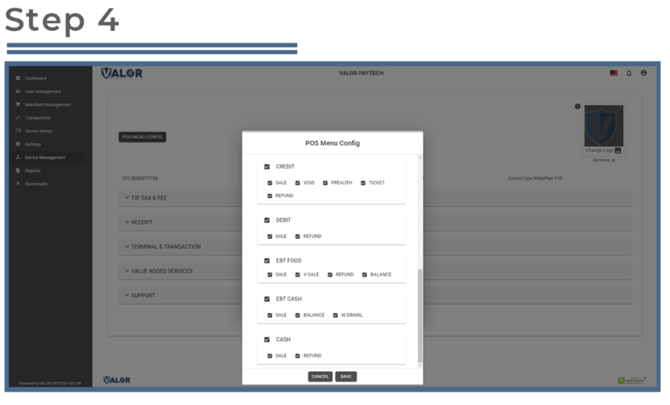
- To modify them:
-
-
Uncheck any option you want to disable.
-
Example: To disable debit refunds, uncheck Refund under the Debit section.
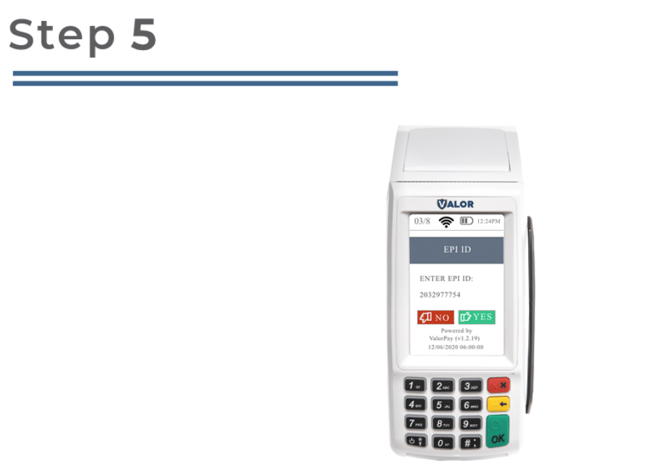
Apply Changes to the Device:
After making the parameter changes, you must perform a download on the device.- On the device, press:
★ → 6 → OK - This initiates a download to apply the updated parameters.