.png?width=300&height=300&name=Untitled%20design%20(6).png)
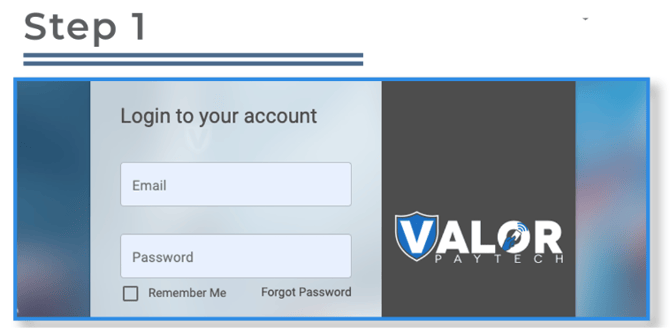
Step 1: Go to www.online.valorpaytech.com and log in with your credentials.
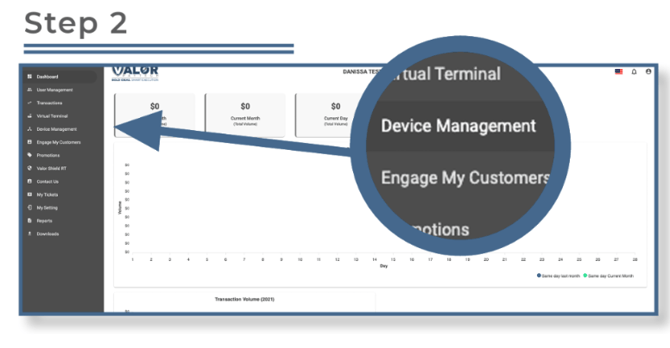
Step 2: From the sidebar menu, select Device Management.
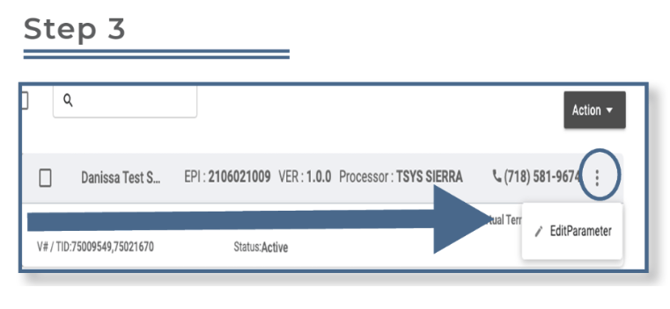
Step 3: Locate the device you want to enable tax on.
-
- Click the ellipsis (⋮) in the top right corner of the device snapshot, then select Edit Parameters.
Step 4: Scroll to the Tip, Tax, and Fee section.
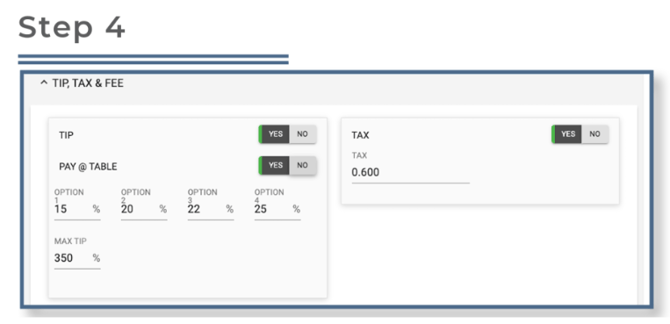
⚠️ The maximum allowable tax percentage is 15%.
- Toggle Enable Tax to ON, then enter your desired Tax Rate.
- After making your changes, scroll down and click Save.
- To apply the new settings, perform a parameter download on the device by pressing:
- ★ → 6 → OK