.png?width=300&height=300&name=Untitled%20design%20(6).png)
The following options enable edits to the following Ethernet communication parameters:
- DHCP
- Static IP Communication Parameters
| Step | Action |
Display | ||
| 1 | From the idle prompt press the OK key to access the Core Menu. | 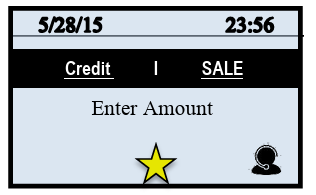
|
||
2 |
Non-Touch Touch Screen | Touch Screen | 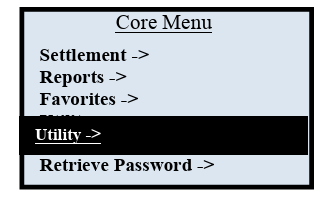
|
|
| Using the down arrow key highlight the word UTILITY and press OK * If prompted input password, default is 1234 | Using your fingertip TAP the word UTILITY * If prompted input password, default is 1234 | |||
| 3 | Using the down arrow key highlight the word COMMUNICATIONS and press OK | Using your fingertip TAP the word COMMUNICATIONS | 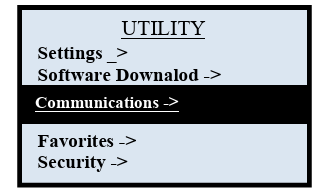
|
|
| 4 | Use the down arrow key to highlight LOCAL PARAMS and press OK | Using your fingertip TAP the words LOCAL PARAMS | 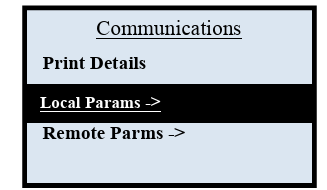
|
|
| 5 | Use the down arrow key to highlight ETHERNET and press OK | Using your fingertip TAP the words ETHERNET | 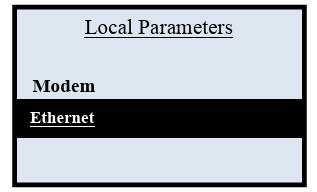
|
|
| Step | Action | Display | |||
| 6 | For | Non-Touch Screen | Touch Screen | 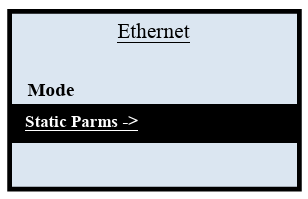
|
|
| 7 | Mode | Press OK & go to step 7 | Tap the word MODE & go to step 7 | ||
| 8 | Set Up Static IP | Press down arrow to highlight Static Parms & Press OK. Skip to step 10 | TAP The words Static Parms and Skip to Step 10 | 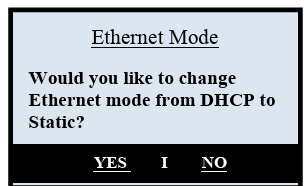
|
|
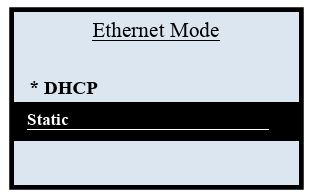
| Note: The Ethernet Mode option that is currently set for the Modem Communication will be marked with an asterisk (*). | |||||
| 9 | Use the up and down arrow keys to highlight the desired option and press OK. | Using your fingertip TAP the desired configuration option. | 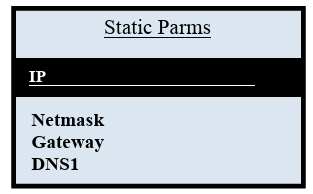
|
||
| Note: Repeat to configure each IP Parameter setting | |||||
| 10 | Terminal returns to the Ethernet communications menu. | ||||