.png?width=300&height=300&name=Untitled%20design%20(6).png)
Step 1: Access Merchant Management
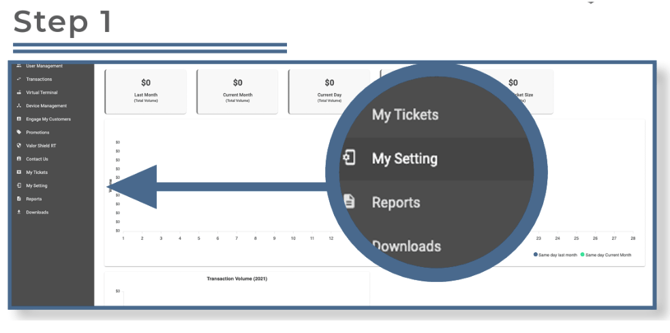
Log in to the Valor Portal and select My Settings from the sidebar menu.
Step 2: Edit Merchant Settings
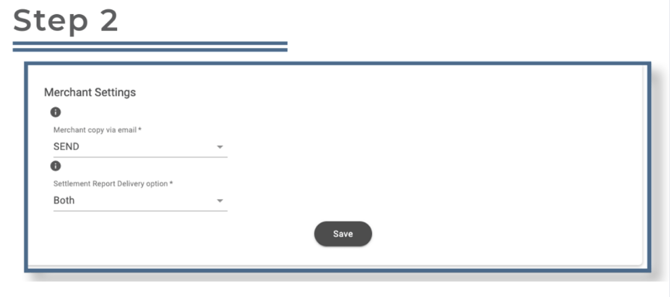
Configure Merchant Copy via Email
Under the Receipt Options section, you can choose whether receipts for all transactions are emailed to the address entered during the merchant setup.
-
- SEND – Emails a copy of each transaction receipt to the merchant email on file.
- DON’T SEND – Disables automatic email receipts.
Under the Settlement Report Delivery Option section, select how settlement reports should be delivered:
-
-
Email – Sends settlement reports to the merchant email address.
-
Print – Prints reports directly on the terminal.
-
Both – Sends the report via email and prints it on the device.
-
Once all changes are made, click Save at the bottom of the screen.
Note: A download on the device is not required after saving these changes.